What can it do?
Adapts to the device
The calendar looks great on any device, whether it's a desktop, laptop, tablet or smartphone
admin panel
In an admin area, the organizer can create contributors
Multi-calendar
A publisher can be active in several calendars and change them
Encrypted connection
The website is transmitted SSL-encrypted, making it very secure
Secured area
Every user must log in, therefore a protected area for personal data
pointers
For the days, you can define notes that indicate special circumstances or possibilities
campaigns
Shifts are assigned to campaigns. For campaigns, you can define whether a shift manager is required.
guest access
Guest accounts can be created for special activities. This allows actions to be carried out with other meetings, for example.
Lots of options
The calendar can be set individually in many areas. For example opening times, conduct, rights,…
Reminder function
Contributors are reminded to participate
feedback function
A feedback form can be completed for each participation. The result can be clearly viewed in the admin area.
stats
Exciting statistics on taxes and assignments
Comprehensive inventory function
You can create an inventory and thus keep an overview of existing literature.
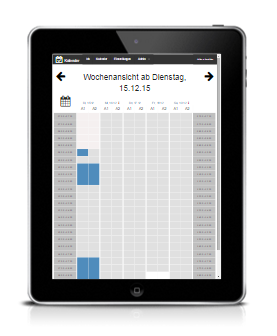
Weekly, daily, and month view
Clear presentation of vacant and busy appointments
Running in the browser…
…and therefore on virtually any device — and on the go
strata
Create predefined shifts (actions with trolleys, information stand, …) at any time, which can also remove trolleys from the calendar
Weekly templates for shifts
You can create templates of shifts and quickly apply them to weeks
Newsletter function
Send newsletters to contributors from the admin area.
It is being actively developed…
A small team is constantly working on development. See also Planned features